
Warehouse app for small businesses: every bin and location in view
See what is in each bin, rack or van, count a location with your phone and reorder what is running low in time. You do not need a handheld scanner: your phone's camera is enough.
Android: use the app in the browser and add it to your home screen.
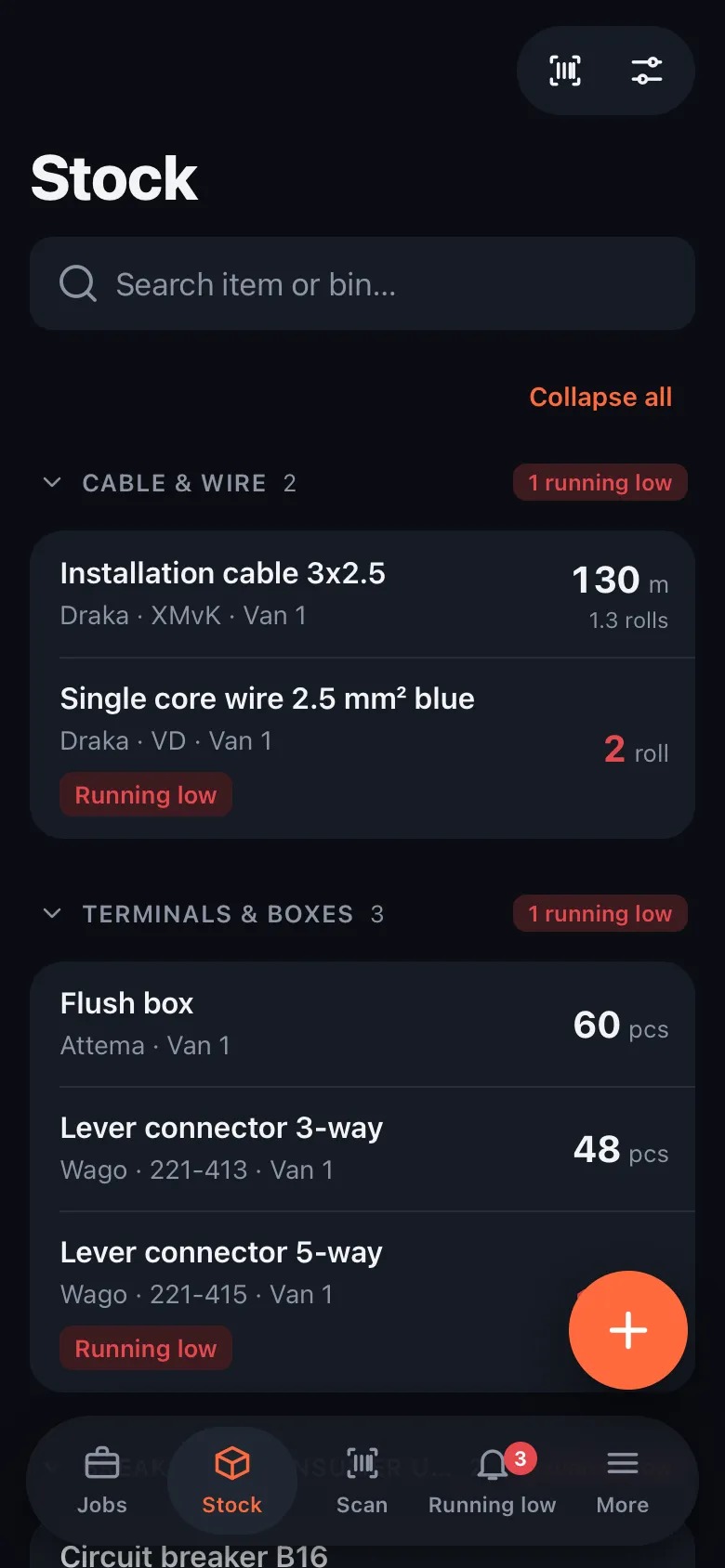
A warehouse app for small businesses has to be quick above all. You do not have someone keeping lists all day, but a few racks, a row of bins and colleagues who take things out. Inventaria keeps track of what is where, on your phone, without first setting up a large inventory system.
Bins and locations with their own QR sticker
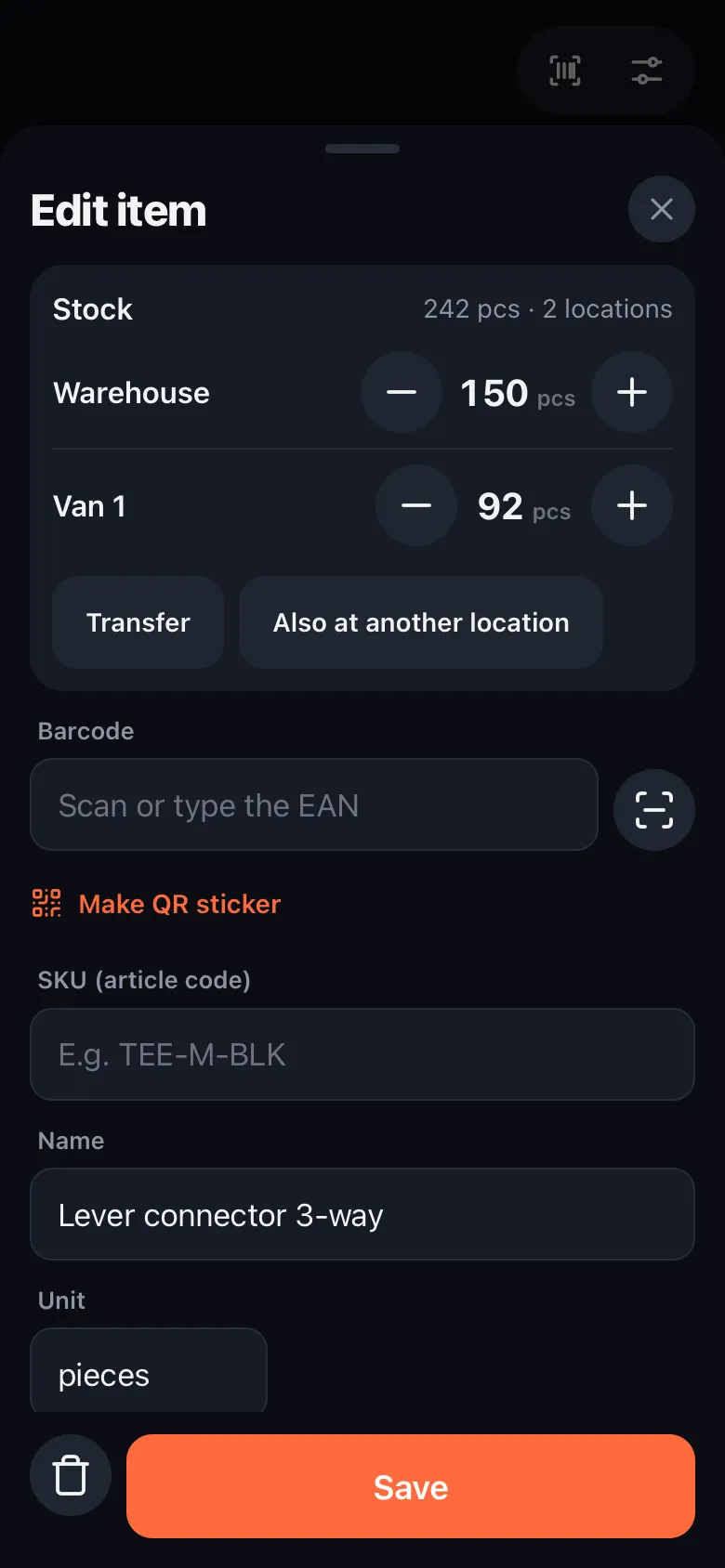
Every location in Inventaria gets a name: the warehouse, rack A, bin 12, the van. Single bins can be locations too. Items with a barcode are scanned with the camera, and a known item opens straight away with the quantity per location. If the app does not know a code yet, it looks up the name, brand, type and product photo (with an account and after you agree to the AI).
For bins and for items without a barcode, you make your own QR stickers under More, Stickers. You get a PDF for an A4 sheet or a label printer. Put the sticker on the bin or on the compartment where an item is kept, and you scan it as quickly as a package from the supplier.
Stock per location, transfers and counts
One item can be in several places. Open it and you see how many there are per location. Move something from the rack to the shop or to a van, and you transfer it. Every change is in the history, with who made it and where.
Counting is done per location with Count. Walk along a rack, scan or search what you find and enter how many there are. At the end you see the differences and book them in one go. So you do not have to close the warehouse for a whole day to do a stocktake.
From Excel to a proper stock list
If your stock is in Excel now, you do not have to start over. Import a CSV with fixed columns, or let the smart import (with an account and after you agree to the AI) read an Excel or CSV file. It works out which column is which.
You choose a unit per item, such as pieces, metres, roll or set. Purchase and sale prices are set per item, per unit and excluding VAT, and the app works out the stock value. You can always export to CSV or Excel, for example as a backup. No list yet? Start with a free stock list in Excel (Dutch).
Running low, ordering and deliveries
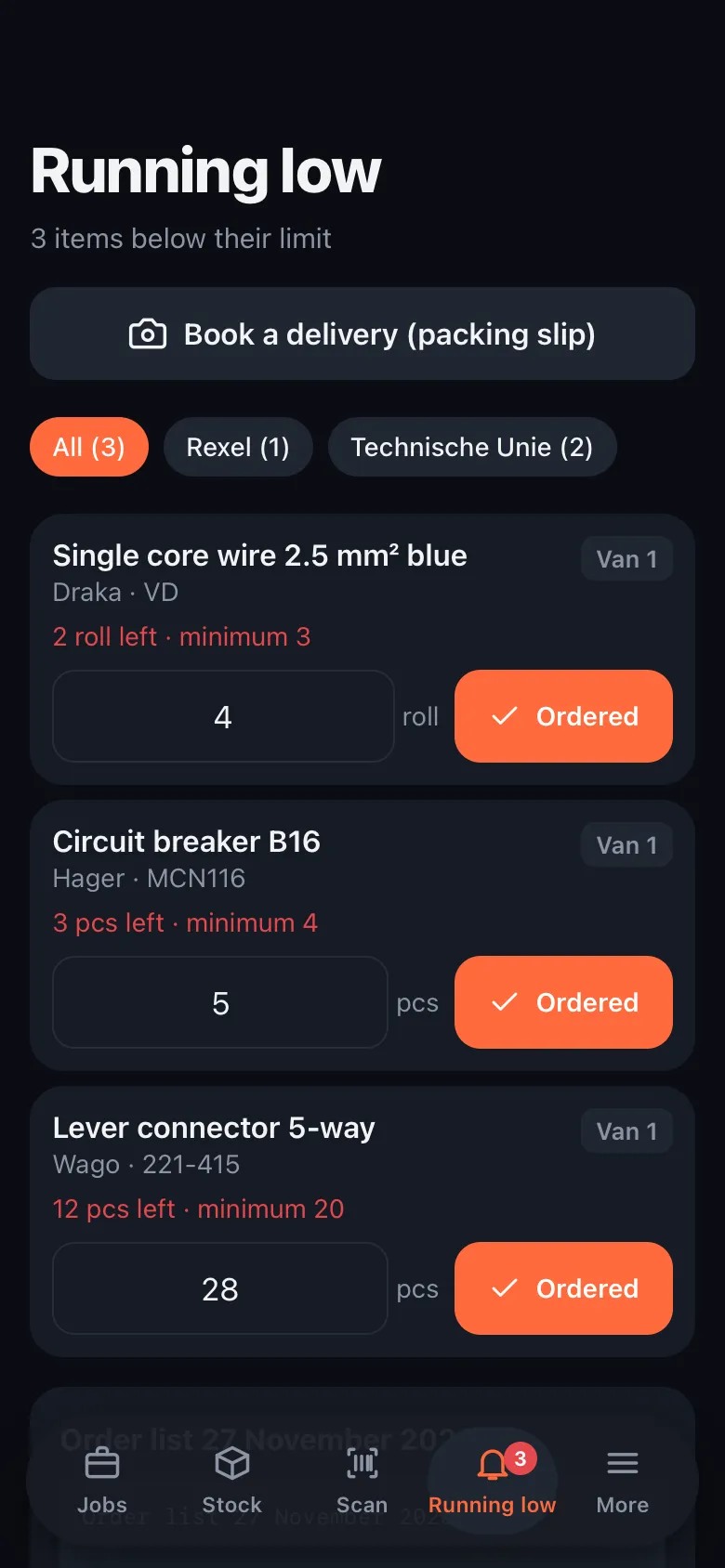
Set a minimum per item. Whatever drops below it goes on the order list, per supplier. Share the list as text or PDF; Inventaria does not place orders and does not connect to a supplier’s system. Tick off what you have ordered. When a lead time is set for the item, you see the expected delivery date. The order list rounds up to whole packs.
When the delivery arrives, book it in. With an account and after you agree to the AI, you can also do that with a photo or PDF of the packing slip: the app reads the lines for you. Do you sell online through Shopify as well? See stock management for a Shopify webshop.
Questions
Do I need a handheld scanner?
No. You scan with your phone’s camera. Without a camera, for example on a computer, you type the code.
Can colleagues work in the same warehouse?
Yes, with an account. Everyone sees the same stock, on the phone and on the laptop. There are three roles: Owner, Admin and Mechanic. A Mechanic does not see purchase prices. If the signal drops at the back of the warehouse, the app keeps working and the changes sync as soon as there is a connection again.
What does it cost?
Inventaria is free to use for now. Planned is a free version on one device without an account, plus paid plans for those who want to work on several devices or with colleagues.
Try Inventaria
Free to use, no account needed to start. On iPhone from the App Store, on Android and computers in the browser.