Inventory app: simple, fast, works offline
Inventaria is an inventory app for the van, the warehouse and the shop: scan a product, see how many you have left and where, and reorder what is running low in time.
Android: use the app in the browser and add it to your home screen.
What the app does
Scanning
Scan the barcode on the package. A known item opens right away, with the quantity per location. The app looks up an unknown code for you, with name, brand and photo (with an account). No camera at hand: type the code.
Jobs with margin
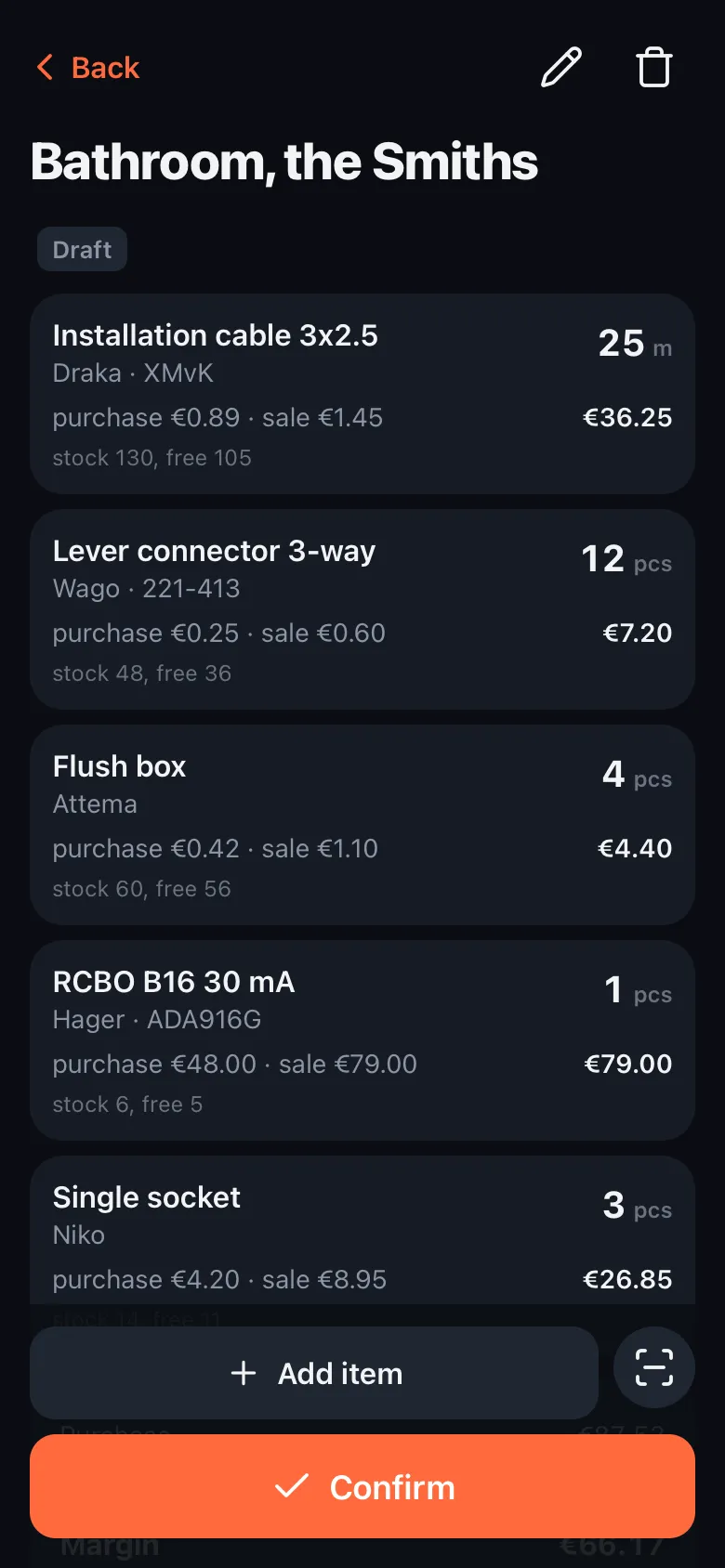
Set aside the materials for a job, with purchase and sale price. You see the totals and the difference. A draft reserves the materials; confirming books them out of your stock.
Order list
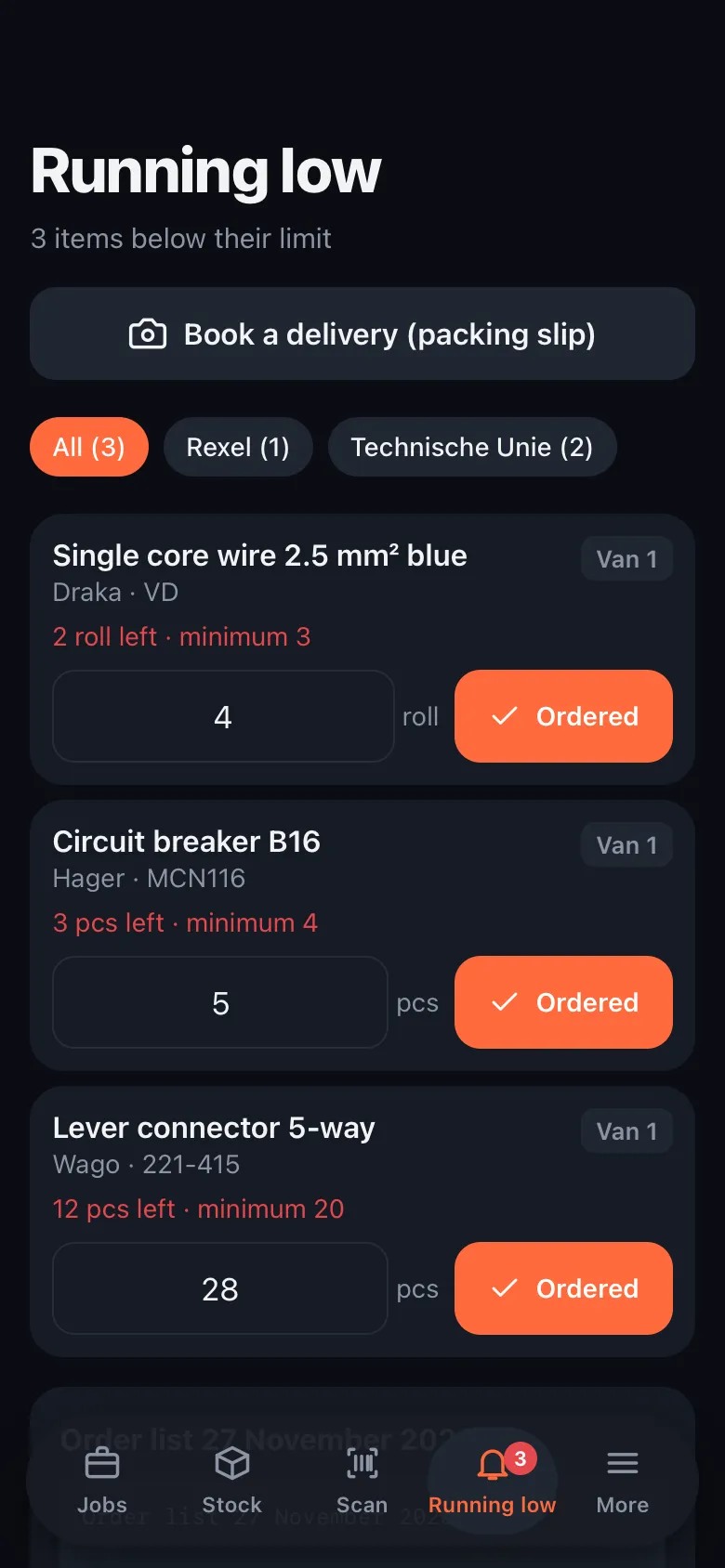
Set a minimum per item. Whatever reaches or drops below it goes on the order list, per supplier. Share it as text or PDF. Book in a delivery with a photo of the packing slip.
Import
Already have a list in Excel or CSV? Bring it over in one go; the smart import works out which column is which. You can export to Excel too, for example as a backup.
Stock per location, also without signal
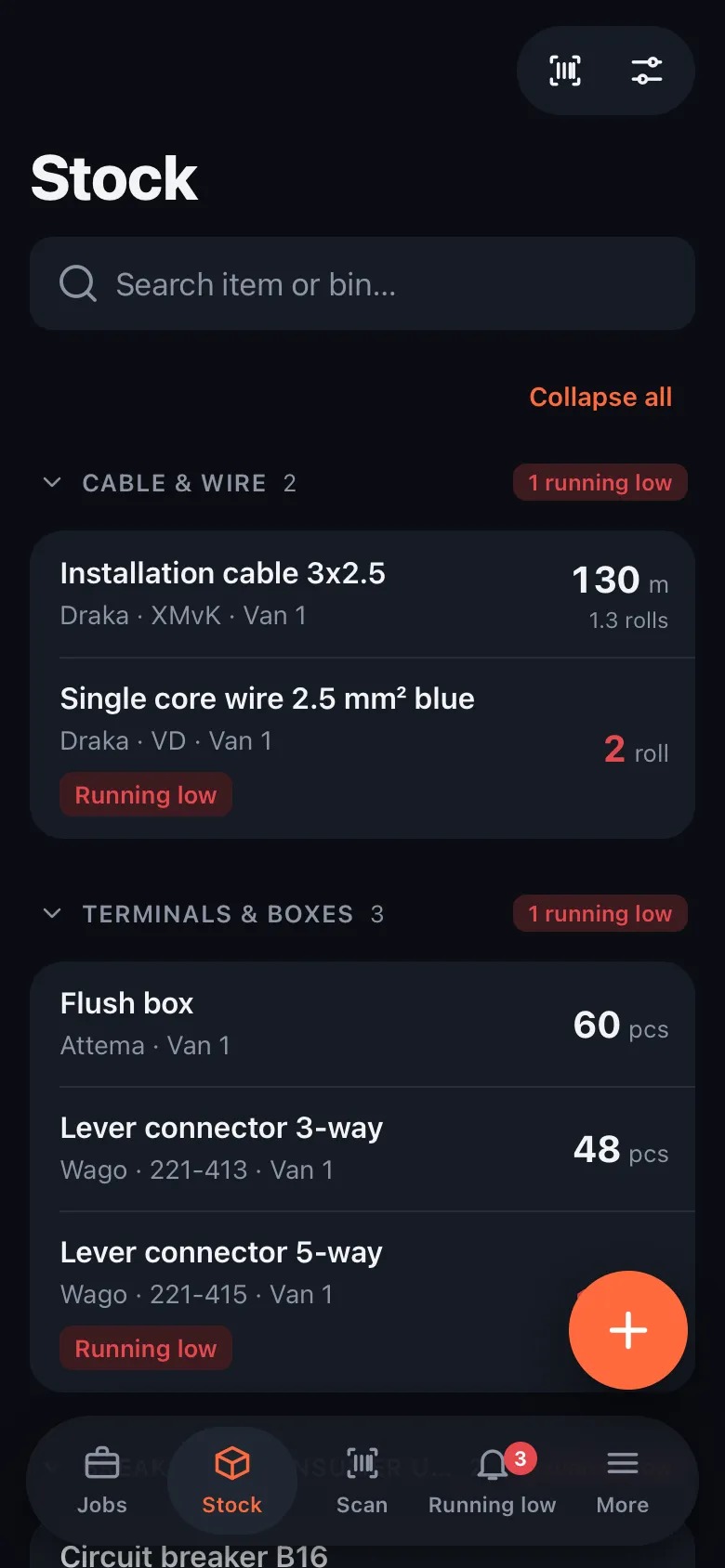
One item can be in several places: the warehouse, van 1, van 3. Transfer from one place to another and count a van or bin in one go. Every change is in the history, with who and where. Cable and other rolls are counted in metres, with the number of rolls next to it.
Everything is on your phone and keeps working in a basement or on site. With an account, your changes go to your laptop and your colleagues as soon as there is a connection again. You do not need an account to start.
Who it is for
- Stock management app for electricians: know what is in your van
- Stock management app for installers: from warehouse to job
- Stock management app for plumbers: the right fittings in your van
- Warehouse app for small businesses: every bin and location in view
- Stock management for a Shopify webshop: the same stock in your shop and online
What it costs
Inventaria is free to use for now. Paid plans will follow for working with colleagues and for the features that use AI, such as reading a packing slip. Keeping stock, scanning and the order list stay free.
Questions
Does it work without internet?
Yes. Everything is on your phone. When you are signed in, the app syncs as soon as there is a connection again.
Does it work on Android?
On Android you use the app in the browser and can add it to your home screen, where it opens like a normal app. On iPhone you download it from the App Store.
What happens to my data?
No ads and no tracking. To look up a code, for the smart import and to read a packing slip, the app uses Claude, an AI service by Anthropic, only after you agree to it. You delete your account and your data yourself in the app.
Try Inventaria
Free to use, no account needed to start. On iPhone from the App Store, on Android and computers in the browser.