
Stock management app for installers: from warehouse to job
Keep track of what is in the warehouse and in each van, refill vans from the warehouse and set aside the materials for a job with purchase and sale price.
Android: use the app in the browser and add it to your home screen.
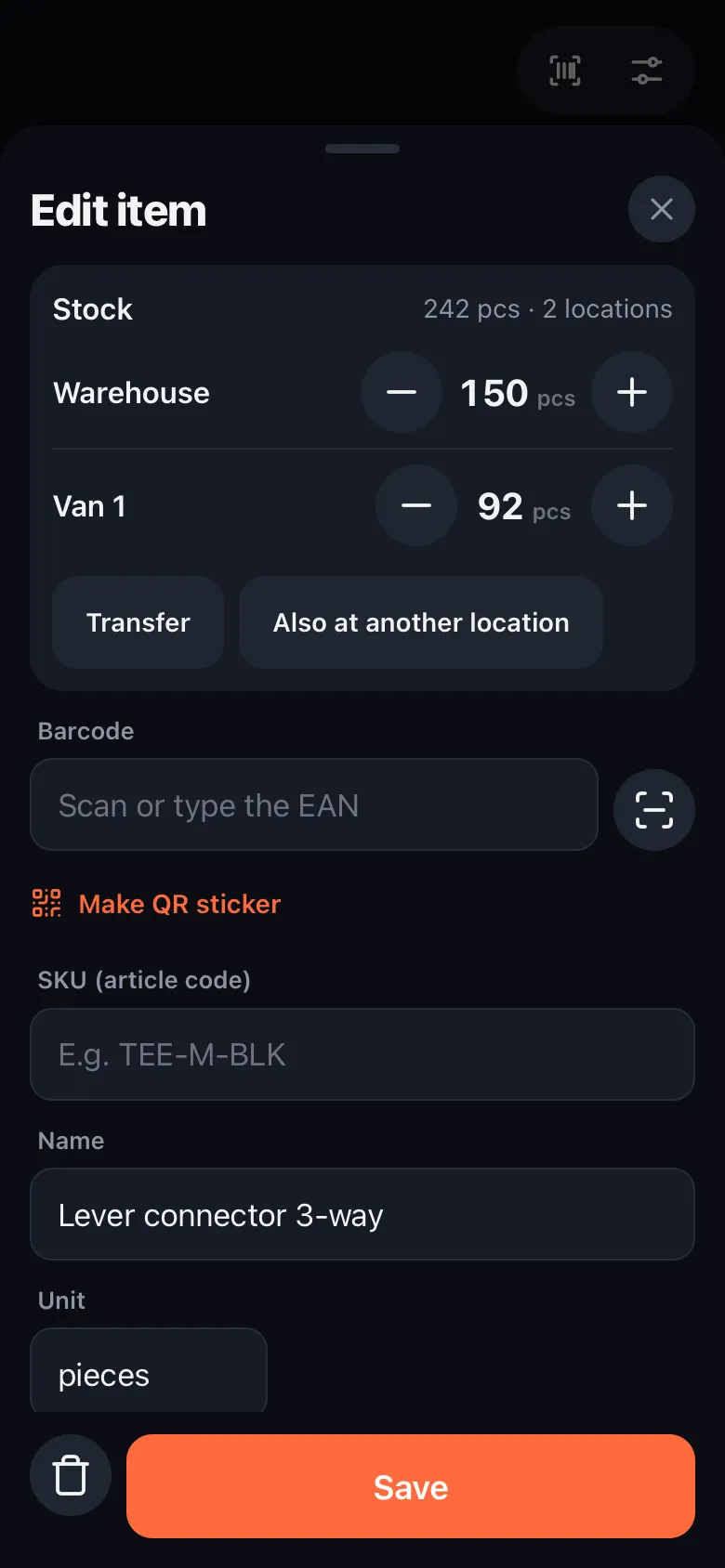
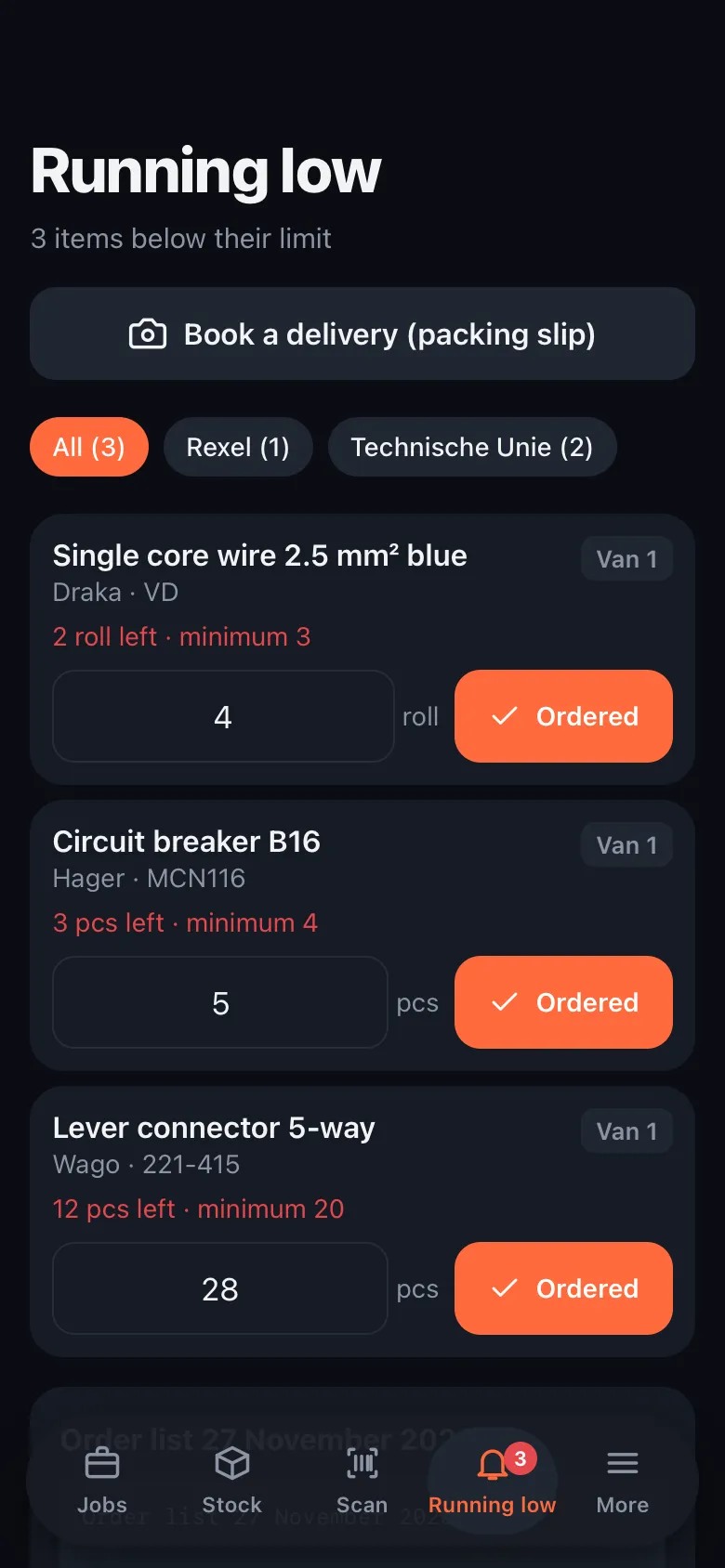
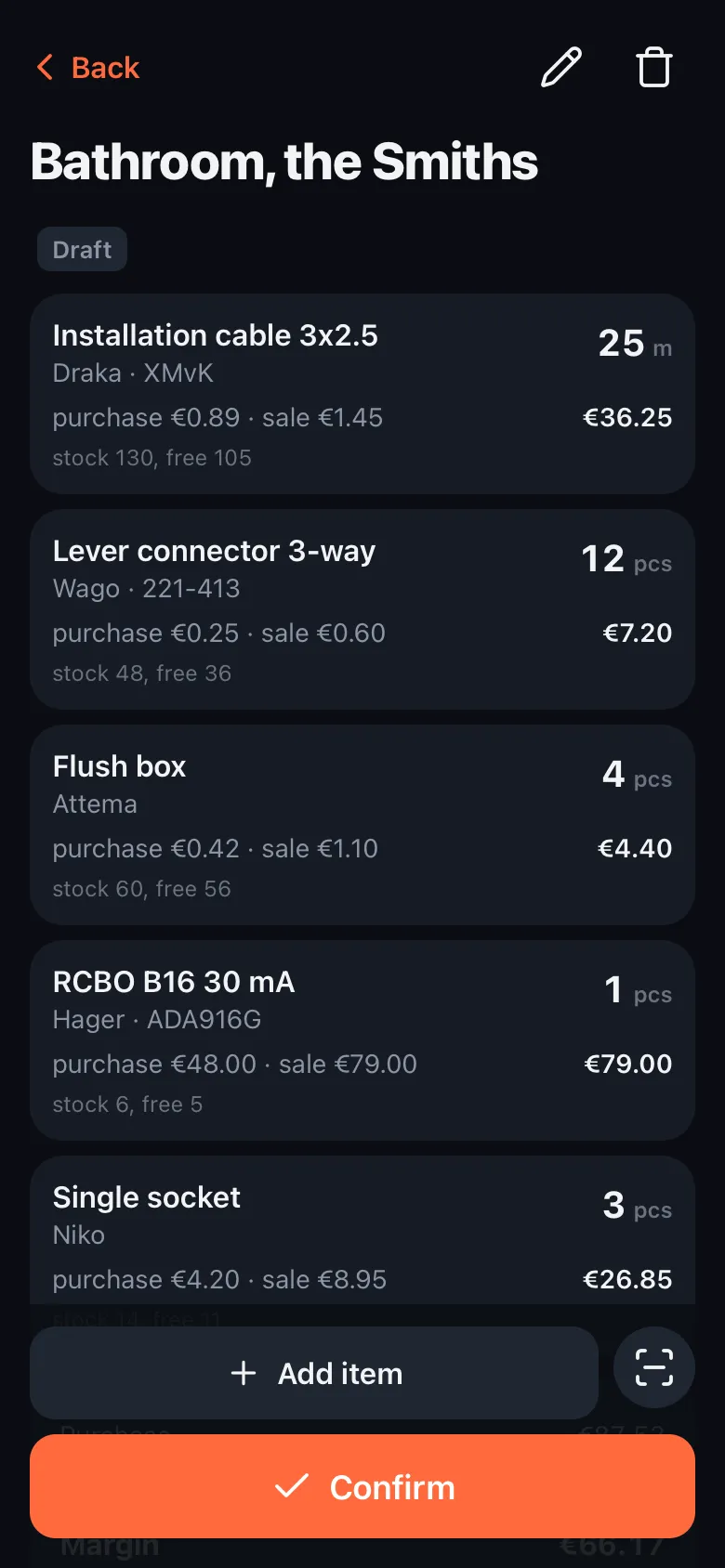
A stock management app for installers has to handle more than one place. Materials sit in the warehouse, in three or four vans and sometimes already on site. Compression fittings, radiator valves, cable, an expansion vessel for a boiler: when nobody knows where they are, things get ordered twice or a colleague ends up one short. Inventaria shows per item how many there are and where, also when you work as a team with several vans.
Warehouse and vans, per location
Every location gets its own name: warehouse, van 1, van 2, van 4. Open an item and you see the stock per location. When someone takes materials from the warehouse in the morning, they transfer them to their van. Scanning works with the barcode on the package; a known item opens straight away. Every change goes into the history, with who made it and where. So you can also see afterwards where those twelve radiator valves went.
Once a month, check a van with Count. Scan or search what is there, enter how many, and the differences are booked in one go.
A refill list per van
When you work with colleagues in a team, Inventaria makes a refill list for each van: what has to go from the warehouse to that van. On Monday morning you see which van is still short of bends, valves or Wago connectors, and you refill it before it goes out.
Whatever drops below its minimum in the warehouse itself goes on the order list, per supplier. Share it as text or PDF. Tick off what you have ordered and see the expected delivery date when a lead time is set. You place the order yourself: the app does not connect to a wholesaler’s system.
Preparing a job, with margin
For a new boiler, a heat pump or a bathroom, set aside the materials as a job. Each line has a purchase and a sale price; the job shows total purchase, total sale and the difference. A draft reserves the materials, so everyone can see they are already spoken for: the stock shows “reserved” and “free”. Confirm the job and the materials are booked out. Doing a lot of plumbing? See the stock management app for plumbers.
Roles: who sees what
With an account, everyone works in the same stock, on the phone and on the laptop. There are three roles: Owner, Admin and Mechanic. A Mechanic sees what is there and where, but not the purchase prices. Purchase and sale prices are set per item, per unit and excluding VAT, and the app works out the stock value.
If a colleague has no signal in a basement or crawl space, the app keeps working. The changes sync as soon as there is a connection again.
Questions
Can I order from the wholesaler in the app?
No. The app makes an order list per supplier, which you share as text or PDF. You then book in the delivery, also with a photo or PDF of the packing slip. The app reads the lines (with an account and after you agree to the AI).
Does Inventaria do invoices or scheduling?
No. Inventaria is about your materials: what you have, where it is and what to reorder. Invoices, quotes, timesheets and scheduling stay in your own software.
I work on my own. Is it for me too?
Yes. Without an account you start straight away on your own phone, with one van and a warehouse or shed. Working mostly on electrics? See the stock management app for electricians.
Try Inventaria
Free to use, no account needed to start. On iPhone from the App Store, on Android and computers in the browser.