
Stock management app for electricians: know what is in your van
Scan a product, see how many are in the van and in the warehouse, and put what is running low on the order list in time. Cable is counted in metres, with the rolls next to it.
Android: use the app in the browser and add it to your home screen.
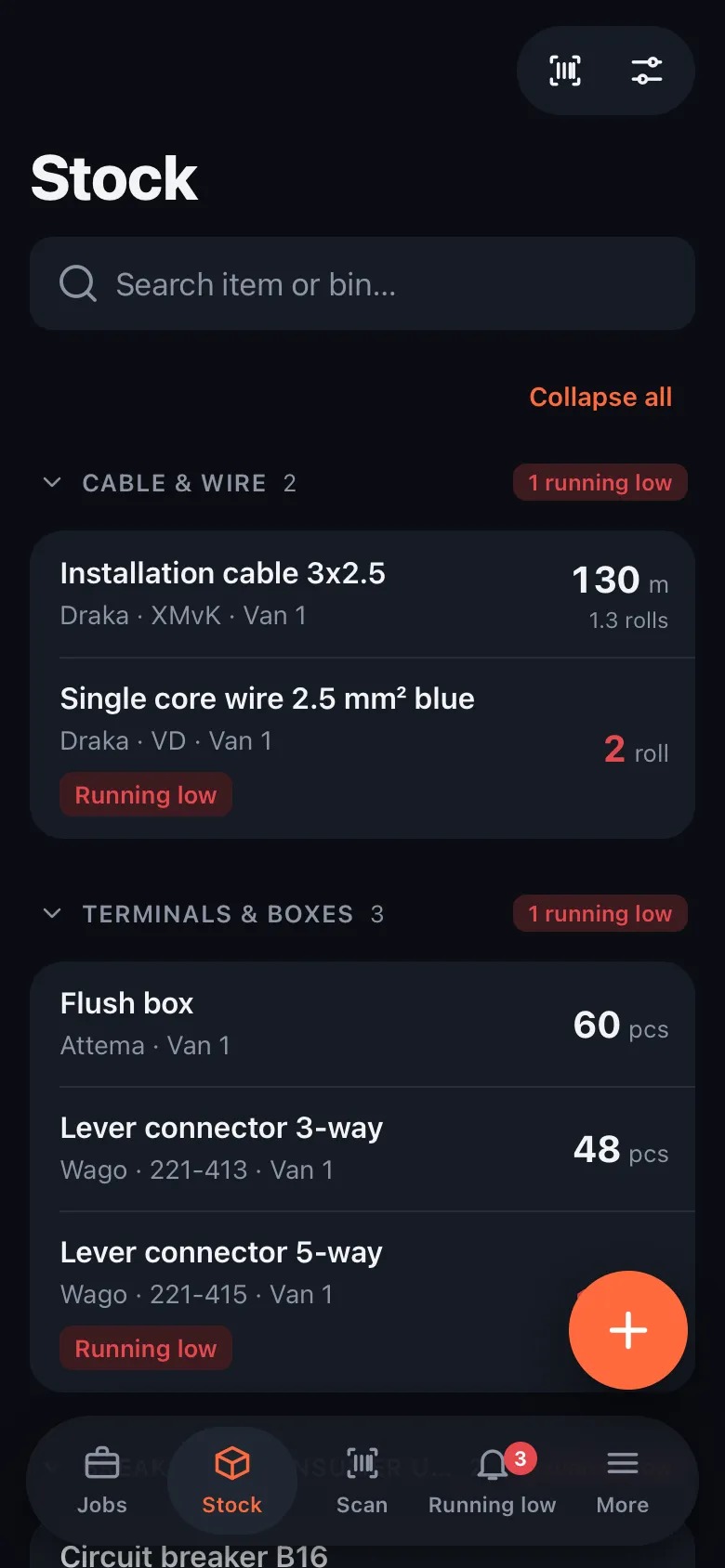
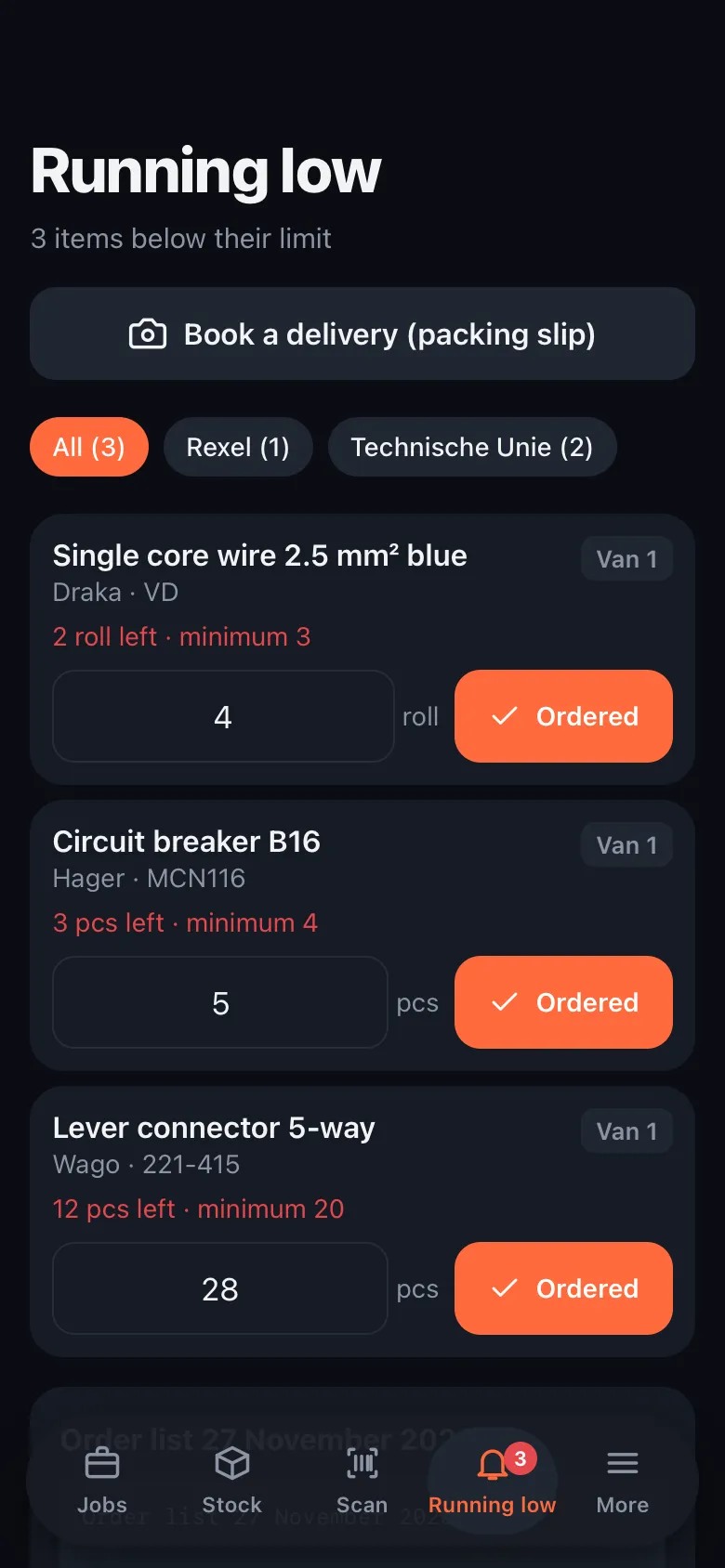
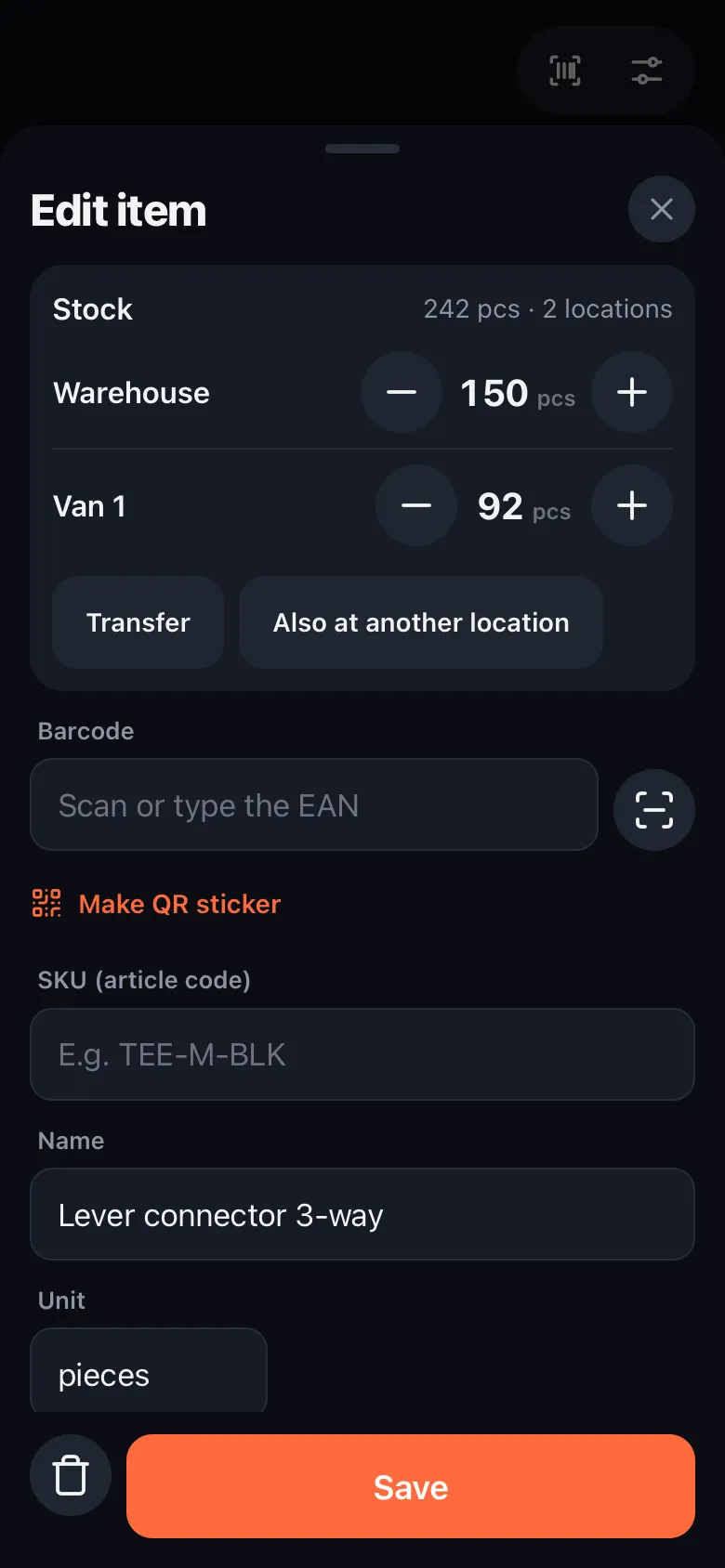
A stock management app for electricians should start where the work is: in the van. You are at a customer’s, the consumer unit is open, and the one RCD or bag of Wago connectors you need is not there. So it is off to the wholesaler, and the plan for the day is gone. Inventaria keeps track of what is in your van and in the warehouse, so you know before the job starts, not when you are standing in front of it.
Cable in metres, with the rolls next to it
You buy cable by the roll and use it by the metre. Inventaria counts cable in metres and shows the number of rolls next to it. Cut 12 metres of twin and earth off a 100-metre roll, book out 12 metres, and you know what is left on it. When the stock drops below your minimum, the order list rounds up to whole packs, so to whole rolls. Flexible conduit on a roll works the same way.
Wago connectors, breakers and RCDs per location
Electricians carry lots of small parts that look alike: Wago 221-412 and 221-413, 16 A and 20 A breakers, RCDs, RCBOs. Scan the barcode on the package and the item opens straight away, with the quantity per location: warehouse, van 1, van 3. If the app does not know the code yet, it looks up the name, brand, type and product photo for you (with an account and after you agree to the AI). No camera at hand: type the code.
Take materials from the warehouse and transfer them to your van. On Friday, check the van with Count: scan what is there and book the differences in one go. The history shows every change, with who made it and where.
Reorder from your supplier in time
Set a minimum per item, for example twenty Wago connectors or two RCDs. Whatever drops below it goes on the order list, per supplier. Share the list as text or PDF, for instance in a message to your wholesaler. Tick off what you have ordered; if you have entered a lead time, you see the expected delivery date. The app does not place orders and does not connect to a wholesaler’s system: you order the way you do now.
When the delivery arrives, book it in. With an account, take a photo or PDF of the packing slip and the app reads the lines for you. Do you also fit heating or plumbing? See the stock management app for installers.
Materials per job, with purchase and sale price
For a new consumer unit or a rewire, set aside the materials as a job. Each line has a purchase and a sale price, and the job shows the totals and the difference. That tells you what the materials earn you. While the job is a draft, it reserves the materials: the stock shows what is reserved and what is free. Confirm the job and the app books it out. If you work with others, people with the Mechanic role do not see purchase prices.
Questions
Does it work in a basement with no signal?
Yes. Everything is on your phone, so scanning and booking out keep working under a floor or in a basement. With an account, your changes go to your laptop and your colleagues as soon as there is a connection again. You do not need an account to start.
I keep my stock in Excel. Can I bring it over?
Yes. Import a CSV with fixed columns, or let the smart import (with an account) work out which column is which. Starting from scratch? Use a free stock list in Excel (Dutch); its columns match the import.
Does it work on Android?
On Android you use Inventaria in the browser and add it to your home screen. On iPhone you get the app from the App Store.
Try Inventaria
Free to use, no account needed to start. On iPhone from the App Store, on Android and computers in the browser.